
When multi-language is enabled for your event portal, user checklists can display tasks in more than one language. Checklists themselves are created as normal, but when adding or editing tasks, translated versions of the task name and description can be entered.
Before You Start
Before translating checklist tasks:
– Multi-language must already be enabled for your event portal
– The additional language(s) must be turned on in Event Branding
– The checklist must already be created in English
If multi-language is not enabled, please contact: 📧 support@xpobay.com
To learn how to create a checklist, see: User Checklists – A Core Feature for Event Success
How Multi-Language Works in User Checklists
User checklists do not have separate language versions. Multi-language is handled directly within each task.
Other Tasks
Other Tasks are created directly inside the checklist. When multi-language is enabled, you can enter both the English text and the translated text for the task name and description at the time of creation.
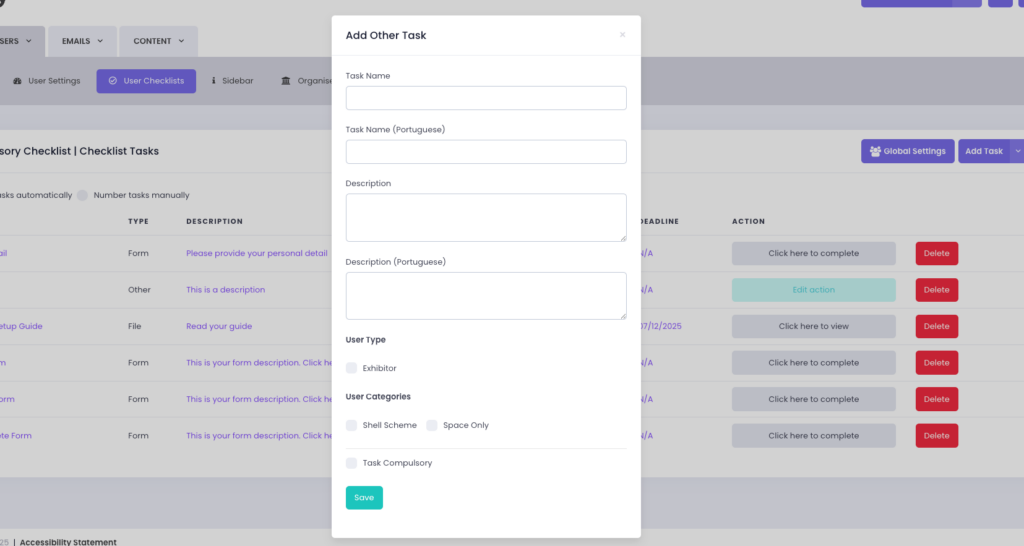
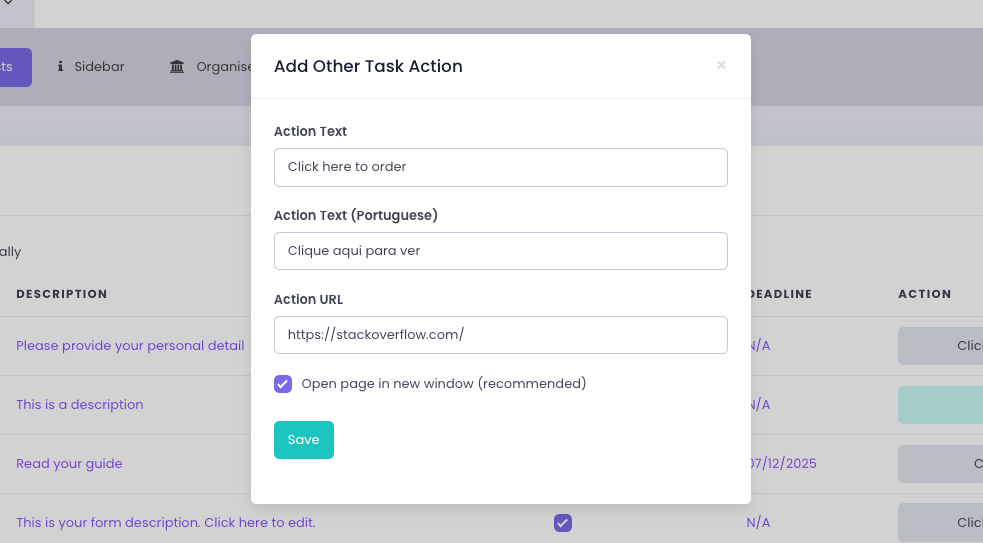
Once the task is created, you may also add the translation of the action button by clicking “Add Action”.
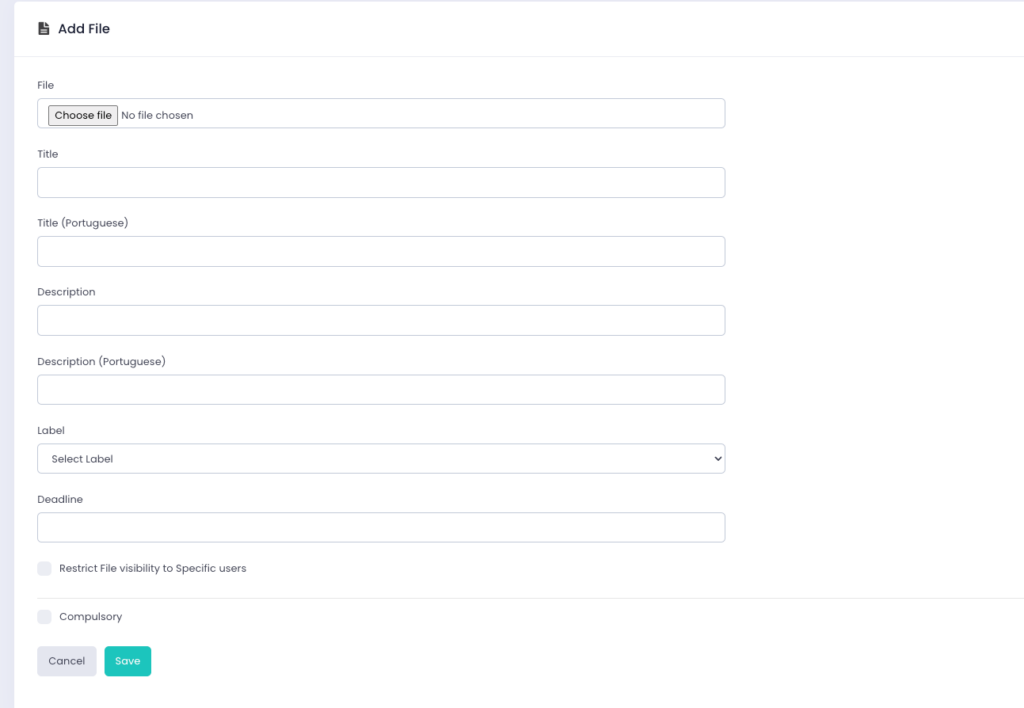
File Tasks
For File Tasks, the file itself must be uploaded first through Content> Files. Once the file exists, it can be added to a checklist.
Form Tasks
Form tasks do not require translation within the checklist.
Forms are translated separately using the multi-language form feature. When a translated form is added to a checklist, it will automatically display in the correct language for users.
Editing Tasks After Creation
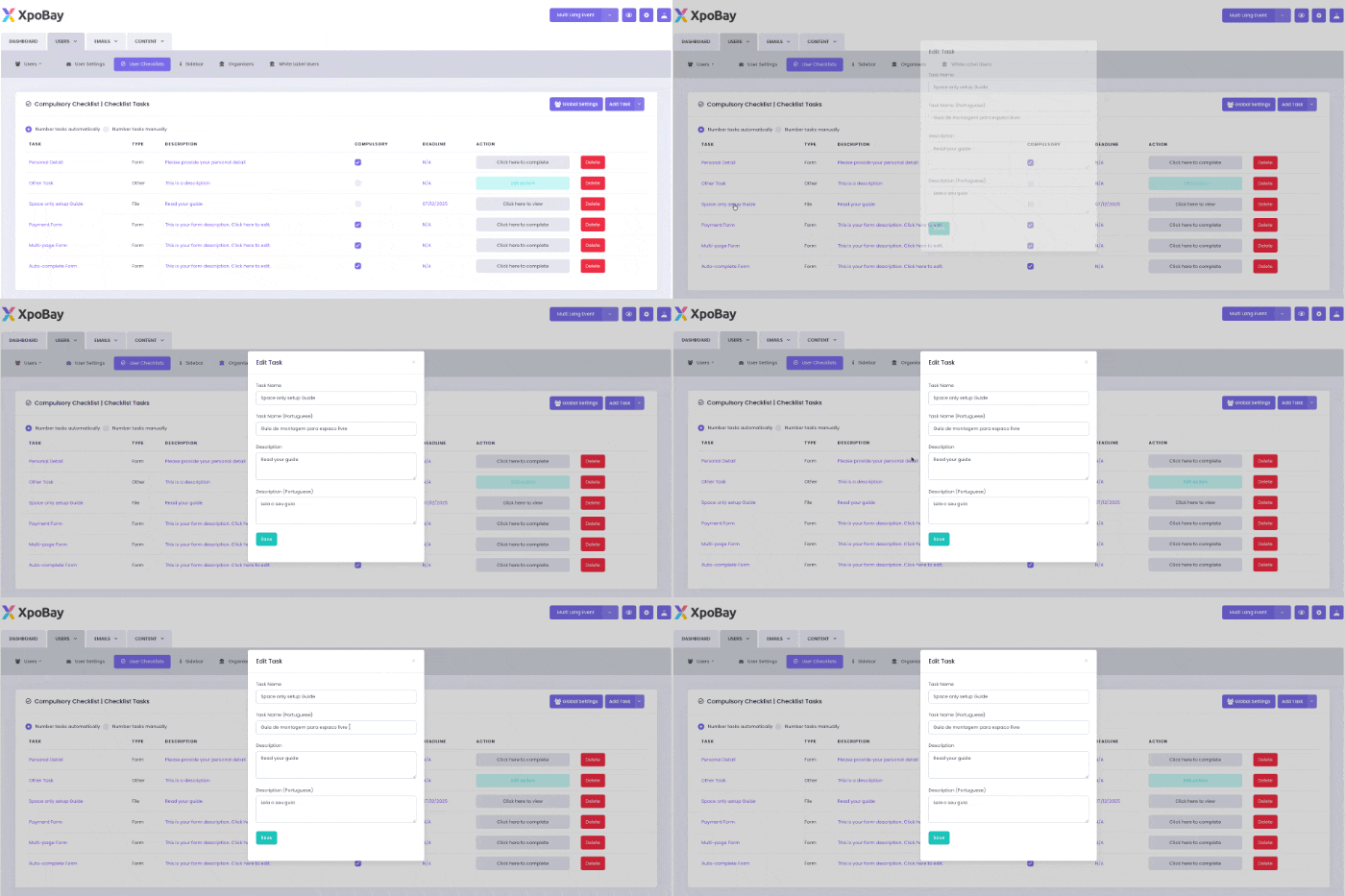
After a task has been added to the checklist, it can be edited at any time.
Click the task name or description to open the edit window. If multi-language is enabled, both the English and translated fields can be updated from there.
Important Note
If multi-language is enabled but the translated fields are left empty, users who switch to the additional language will see empty content for those tasks.