
If you’re using Expoconnect by Exponet in Australia, you can set up an automatic login system for your exhibitors. This allows them to access Expoconnect directly via a link, without needing to enter a username or password.
Before You Begin
Make sure your users are prepared:
– All exhibitors must be imported into XpoBay.
– The same users must also be imported into Expoconnect.
– Their email addresses must match exactly across both platforms.
Important: The auto-login will only work if the email address is identical in both systems.
The Auto-Login Link Format
Use the following format:
https://expoconnect.com.au/onelogin.aspx?sh=YourEventCode&em=[USER_EMAIL]
– Replace YourEventCode with your actual event code provided by Exponet.
– Leave [USER_EMAIL] exactly as shown. XpoBay will automatically insert each user’s email address when displaying the link.
Where to Add the Link:
You can add the auto-login link anywhere in your event portal.
✅ Recommended: Add it to a User Checklist as an Other Task, so it’s visible alongside the exhibitor’s other responsibilities and can be tracked or reminded as needed.
Add the Link to a Checklist (Other Task)
1. Go to the Checklists tab in your event.
2. Select the checklist where you want the task to appear, then click Manage Tasks.
3. Click Add Task and choose Other Task.
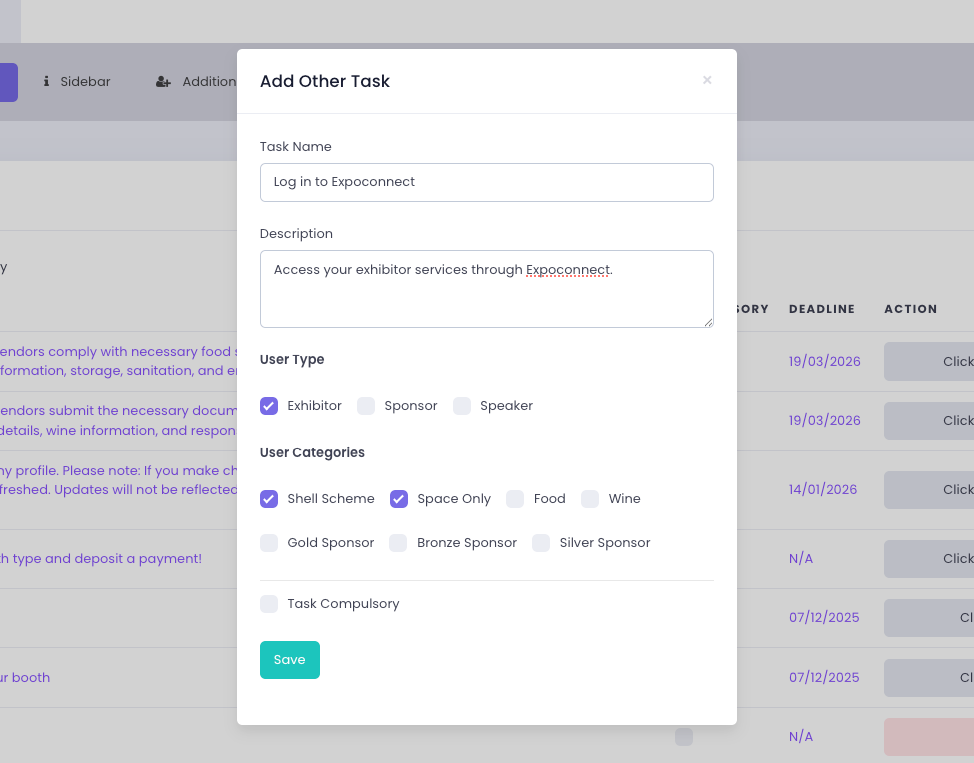
4. Fill out the task fields:
– Task Name: e.g. Log in to Expoconnect
– Description: Access your exhibitor services through Expoconnect.
5. Set the user visibility
6. Click Save.
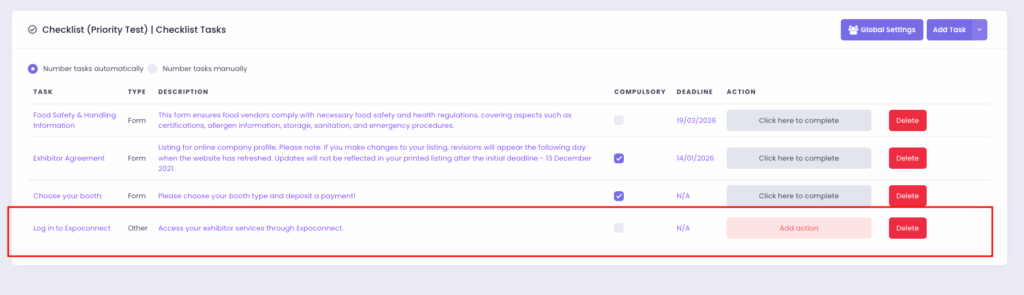
Once the task has been added, you’ll see an “Add action” button appear in the checklist row.
7. Click Add Action.
8. Fill in Action Text and Action URL.
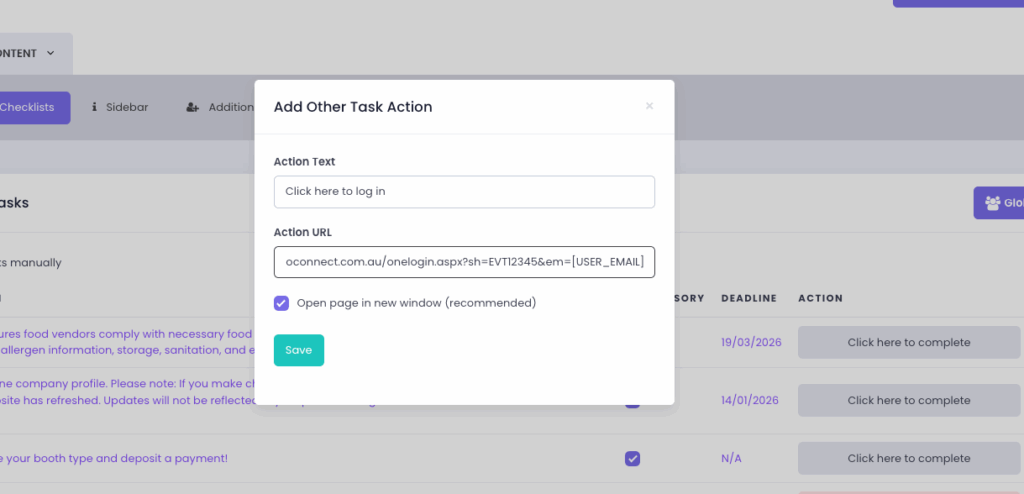
9. Click Save.
The link will now appear as a clickable button in the user’s checklist.
Notes on Testing
To test, simply ensure you’ve imported users into Expoconnect, then check that the link works with a test email address appended.
Checklist Reminder Settings
-If the link is added as a checklist task, XpoBay will send automatic reminders by default.
-If Exponet is sending separate communications, you can disable reminders from the checklist settings.